Ghost Driver Free Car Unlock Checklist
Step-by-step boxes to claim your free Ghost Driver car.
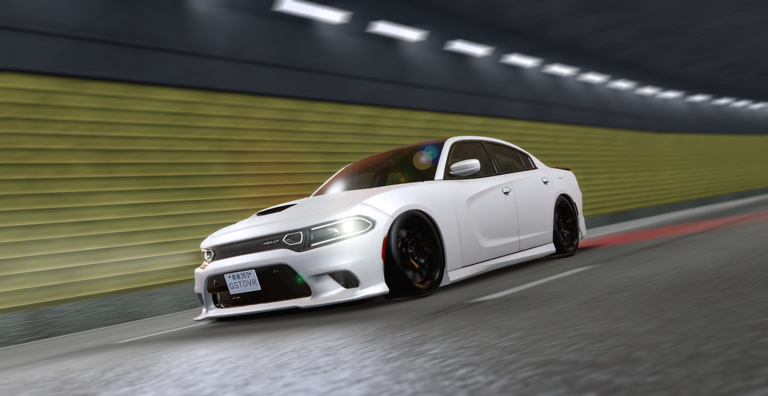
Ghost Driver awards a free car to every player who ticks four boxes inside the experience. This checklist walks you through each requirement in order, tells you how to verify progress, and flags the most common reasons a player thinks they unlocked the car but actually did not.
The four unlock requirements
| # | Requirement | Where to do it |
|---|---|---|
| 1 | Play Ghost Driver for 30 minutes of cumulative in-experience time | Inside the Roblox experience |
| 2 | Like the Ghost Driver experience page | On the Roblox game page |
| 3 | Favorite the Ghost Driver experience page | On the Roblox game page |
| 4 | Join the Tilted Vehicles Roblox group | From the group link or the in-game Join button |
You must complete all four. None of them count retroactively for past sessions before you liked or favorited, so do the social steps as early as possible.
Step-by-step unlock flow
Step 1 — Launch the experience
- Open Ghost Driver on Roblox.
- Click Play.
- Stay in the experience for at least 30 cumulative minutes across one or multiple sessions. AFK time does not count.
Step 2 — Like the experience
- With Ghost Driver open, scroll to the experience’s social bar (under the title on the page).
- Click the thumbs-up icon.
- Verify the icon turns blue or filled.
Step 3 — Favorite the experience
- On the same experience page, click the star icon.
- The experience now appears in your Roblox Favorites list, which makes future launches easier.
Step 4 — Join the Tilted Vehicles group
- Open Tilted Vehicles on Roblox.
- Click Join Group.
- Confirm the join from your inbox if Roblox asks for verification.
Some in-game prompts also offer a Join Group shortcut that opens the right community ID automatically. Use either path.
How to verify the unlock worked
After all four steps are complete:
- Return to the Ghost Driver experience.
- Drive toward the race area near the highway start.
- Look for a blue circle or blue marker — this is the free-car pickup.
- Drive into the blue circle to claim the car. It appears in your garage automatically.
- Open the Fastest Lap leaderboard and confirm your name appears with the new car selected.
If the blue circle is missing, recheck each step below.
Common unlock fails
| Symptom | Likely cause | Fix |
|---|---|---|
| Blue circle never appears | One of the four boxes still unchecked | Recheck like, favorite, group join, and 30-minute timer |
| Car claimed but invisible | Wrong garage filter selected | Switch the garage filter to “All cars” or “Free” |
| Group join not registering | Roblox moderation delay | Wait five minutes, leave the group, then rejoin |
| 30-minute timer stuck | AFK detection disabled | Stay active — drive or open menus at least once a minute |
| Like counter visible but unlock fails | Multiple accounts on same device | Like + favorite from the account that plays Ghost Driver |
Why the four requirements exist
The unlock is a soft social-growth mechanic. Likes and favorites push the experience toward the 1,000 Likes Milestone that Tilted Vehicles has tied to the next massive update. Group joins keep notifications in front of you for code drops. The 30-minute timer protects against drive-by free-car farming by alt accounts. Completing all four is how the studio thanks engaged players.
Pair this checklist with sessions
- New drivers: finish Getting Started before unlocking so you understand your starter car.
- Returning players: pair the unlock with your first daily quest from the Quests Guide.
- Mid-grind players: redeem codes via How to Redeem right after claiming the free car.
Re-checking after a patch
PRE-ALPHA updates occasionally reset the unlock state if the studio changes the requirement list. After every patch, run this checklist again:
- Open the Patch Day Checklist at Patch Day Checklist.
- Reconfirm like and favorite on the experience page.
- Reconfirm you are still in the Tilted Vehicles group.
- Drive for ten minutes; the blue circle should reappear if anything was reset.
Free car vs starter car
The free unlock car is different from the Default Sedan you spawn with at session start. The free unlock rewards a higher-tier starter that lets you skip the How to Buy Cars grind for your first upgrade. Keep both — the free car slots into a different role than the Default Sedan.
Free car FAQ shortlist
- The unlock is per-account, not per device.
- The free car does not expire, but the specific model can rotate between updates.
- Group membership must be active — leaving the group after unlocking does not remove the car.
Related destinations
- Tools Hub — planners for cash and quests
- Codes Hub — redeem
THANKSFOR250KandSINCEROWASHEREafter unlocking - Tilted Vehicles Group — join for unlock and code shouts
- Pre-Alpha Roadmap — context on why the like matters
Tick the four boxes in order, then drive into the blue circle. The free car pays for the social lift that brings the next big update.
Frequently Asked Questions
Quick answers to the most common questions.
How long does the Ghost Driver free car take to unlock?
At minimum 30 minutes of cumulative playtime plus liking, favoriting, and joining the Tilted Vehicles group. Most players complete it within their first hour.
Do I need Robux to unlock the free car?
No. Liking, favoriting, group joining, and 30 minutes of play are all free.
What if I leave the Tilted Vehicles group after unlocking?
The free car stays in your garage. You only need to be a member at the moment of unlock.
Why is the blue circle missing after I complete all four steps?
Wait two minutes for the server to refresh state. If it still does not appear, recheck each of the four boxes and reload the experience.